How to send a mobile top-up to Kazakhstan from the UAE
यो लेख अहिलेलाई अंग्रेजीमा छ।
Short answer
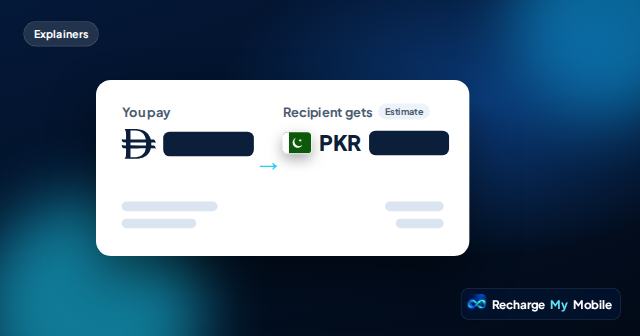
To send airtime to Kazakhstan from the UAE, choose Kazakhstan, enter the ten-digit number after +7 twice, and confirm the operator: we list Kcell, Activ, Beeline, Tele2 and Altel. For each one you choose your own amount within the limits shown. The quote shows what you pay, including our service fee, and an estimate of what they get in Kazakhstani tenge (KZT) before you pay.
Kazakhstan shares +7 with Russia
Kazakhstan and Russia use the same country code, +7. On our form you choose the country first, so make sure you pick Kazakhstan. The operators, amounts and currency on the quote are then the Kazakh ones.
Kazakh mobile numbers start with 7 after the country code. If the number you have starts with a different digit after +7, ask the person to check it before you go on.
Entering a Kazakh number
Kazakh mobile numbers have ten digits after +7. Inside Kazakhstan, people often write them with an 8 in front, which is the local long-distance prefix.
In the number box you can type it with that 8 or without it; we read both. In international form, leave the 8 out: +7 followed by the ten digits that start with 7. If what you have is a different length, check it with the person.
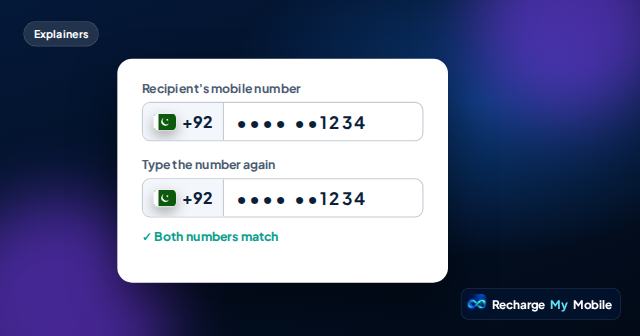
You type the number twice, and we ask you to correct it if the two entries differ. Check the last four digits on the quote as well, because a top-up credited to the number you entered can't be taken back.
- Country code: +7, shared with Russia
- Ten digits after the country code, starting with 7
- With or without the local 8: we read both
Kcell, Activ, Beeline, Tele2 or Altel
We list five operators in Kazakhstan. Some of these names are brands of the same company, but each one is listed separately, so choose the name the person's SIM or phone shows.
When you enter the number, we try to confirm which network it is on. If we can't confirm it, you choose. The first digits are not always a reliable guide, so ask the person if you're not sure. Choosing the wrong one usually means the top-up fails and you aren't charged.
Choosing the amount
For all five operators we list airtime where you type your own amount within a minimum and a maximum. Each operator page shows the limits, and the quote updates as you change the amount.
The amount received is shown in tenge and labelled as an estimate, because it can change with exchange rates or operator rules. Our supplier reports no operator tax on these products today.
We don't list data bundles for Kazakhstan at the moment. On many networks the person can use airtime to buy a data package through their operator's own app or menu.
How to send, step by step
These steps work on a phone or a computer, from anywhere in the UAE.
- Choose Kazakhstan, not Russia.
- Enter the number twice: the ten digits after +7, with or without the local 8.
- Confirm the operator, or choose it if we can't confirm it.
- Type your amount within the limits shown.
- Check You pay and Recipient gets on the quote.
- Pay on the secure payment page and keep your order link.
Paying and what happens next
You can pay in AED or another supported currency such as SAR, QAR or USD. The You pay figure includes our service fee. Quotes expire after a short time; if one expires before you pay, we fetch a fresh one, so you never pay on an old price.
When you pay, the amount is only held on your card. We send the top-up to the operator and take the money when the operator confirms delivery. If the top-up fails, we release the hold and you aren't charged.
Your order page shows payment and delivery separately, so you can see which step the order is at. Once it says Delivered, it also shows a transfer reference that the operator can trace. Kazakhstan is one hour ahead of the UAE. If the order is still processing, please don't pay again.
Letting the person know
Send them a short message when you pay: which number and network, that it's airtime, and that it may take a little while to show. That way they know to look, and they won't buy credit themselves in the meantime.
If the order says Delivered but nothing shows, ask them to check their balance the usual way for their network. If it still isn't there, open a case from your order page and we check the transfer with our supplier.
Questions people ask
Can I top up a Kcell number from Sharjah?
Yes. Choose Kazakhstan, enter the ten digits after +7 twice, confirm Kcell, type your amount within the limits shown and pay on the secure payment page.
Do I need to remove the 8 at the start of a Kazakh number?
No. The 8 is a local prefix, and we read the number with it or without it. If you type +7, leave the 8 out: +7 followed by the ten digits that start with 7.
Kazakhstan and Russia both use +7. Does that matter?
Only in that you must choose Kazakhstan as the country. Kazakh mobile numbers start with 7 after +7; check with the person if yours doesn't.
Can I send a data bundle to Kazakhstan?
We list airtime only for Kazakhstan at the moment. On many networks the person can use the airtime to buy a data package from their operator.