How to check a top-up website before you pay
ഈ ലേഖനം ഇപ്പോൾ ഇംഗ്ലീഷിലാണ്.
Short answer
Before paying on any top-up website, check that the address is the one you meant to visit, that the quote clearly shows what you pay and what the recipient gets, and that payment happens on a secure payment page. Be wary of sites promising impossible deals or asking for codes. A trustworthy site lets you track an order and explains what happens if a top-up fails.
Check the address first
Fake sites often copy the look of real ones. Before you enter anything, look at the web address in your browser. Is it spelled exactly as you expect? Did you arrive by typing it yourself or from a bookmark, rather than a link in an unexpected message?
Your browser usually shows a padlock or similar sign for a secure connection. That sign means the connection is encrypted; on its own it doesn't prove a site is honest, so keep checking.
Look for a clear quote
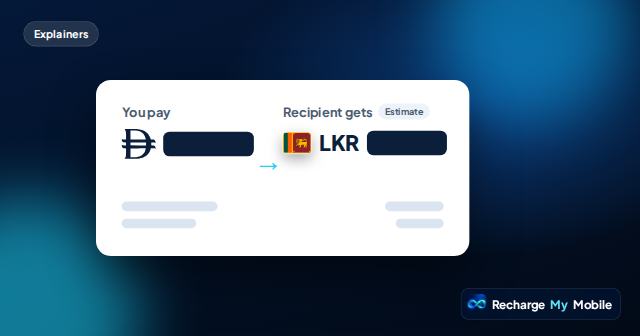
A trustworthy top-up site tells you exactly what you are buying before you pay. On our site, the quote shows:
- "You pay": the total in your chosen currency, including any service fee.
- "Recipient gets": what arrives, marked as an estimate where it can change.
- The operator and the country.
- The recipient's number masked, such as ••••1234.
- An expiry time, after which the quote is refreshed rather than charged at an old price.
Be wary of claims that sound too good
Be cautious about sites that promise top-ups for every network everywhere, credit that can never fail, or prices far below what anyone else offers. Real top-ups depend on operators, exchange rates and local rules, so an honest site explains limits rather than hiding them.
Also watch for pressure: countdowns that reset, "last chance" pop-ups, or messages urging you to pay before you can read the details.
Check how payment works
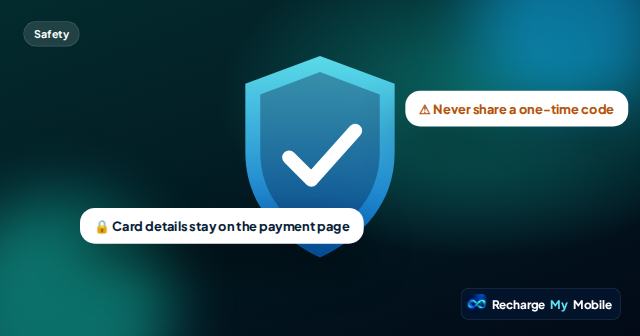
Card details should be entered only on a secure payment page. On our site, card details never pass through our pages or the Recharge Guide assistant. No genuine site should ask for your card details or one-time codes by chat, email or phone.
Check what happens after you pay
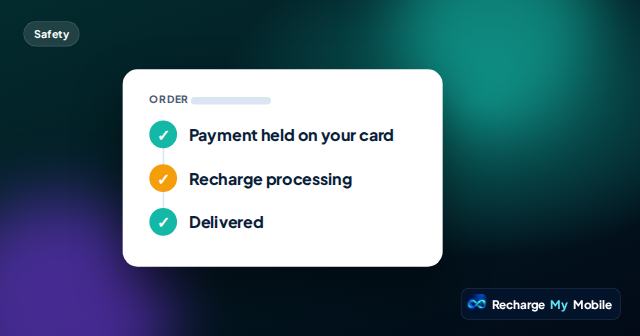
A good site explains what happens next. Payment and delivery are different steps, and you should be able to see both. Our order page shows "Payment held on your card", then "Recharge processing", then "Delivered", with the supplier's transfer reference once delivered.
Look for a clear answer to what happens to your money if a top-up fails. On our site, the amount is only held on your card until the operator confirms delivery; if a top-up fails, the hold is released and you aren't charged. You should also be able to report a problem, for example when the recipient says nothing arrived.
Quick checklist before you pay
Run through these in a few seconds.
- I typed the address or used my bookmark.
- The quote shows what I pay and what the recipient gets.
- The operator, country and masked number match what I expect.
- Payment is on a secure payment page.
- Nobody has asked me for a code or card details outside that page.
Questions people ask
How can I tell if a top-up website is legitimate?
Check the address, look for a clear quote with what you pay and what arrives, pay only on a secure payment page, and make sure orders can be tracked.
Does a padlock mean a website is safe?
It means the connection is encrypted. It doesn't prove the site is honest, so also check the address, the quote and how payment works.
Is a very low price a warning sign?
It can be. Top-up prices depend on operators, exchange rates and fees, so offers that seem far too good deserve extra caution.
Can I track my order without creating an account?
On our site, yes. Every order has a secure link that shows payment and delivery status, so you don't need an account.
What should I do if I paid on a site I now think is fake?
Contact your bank or card provider straight away and explain what happened. Ask them to block the card if you think your card details were taken.